Top 10 SharePoint Migration Tools: Features, Pros & Cons
 Sunil Patel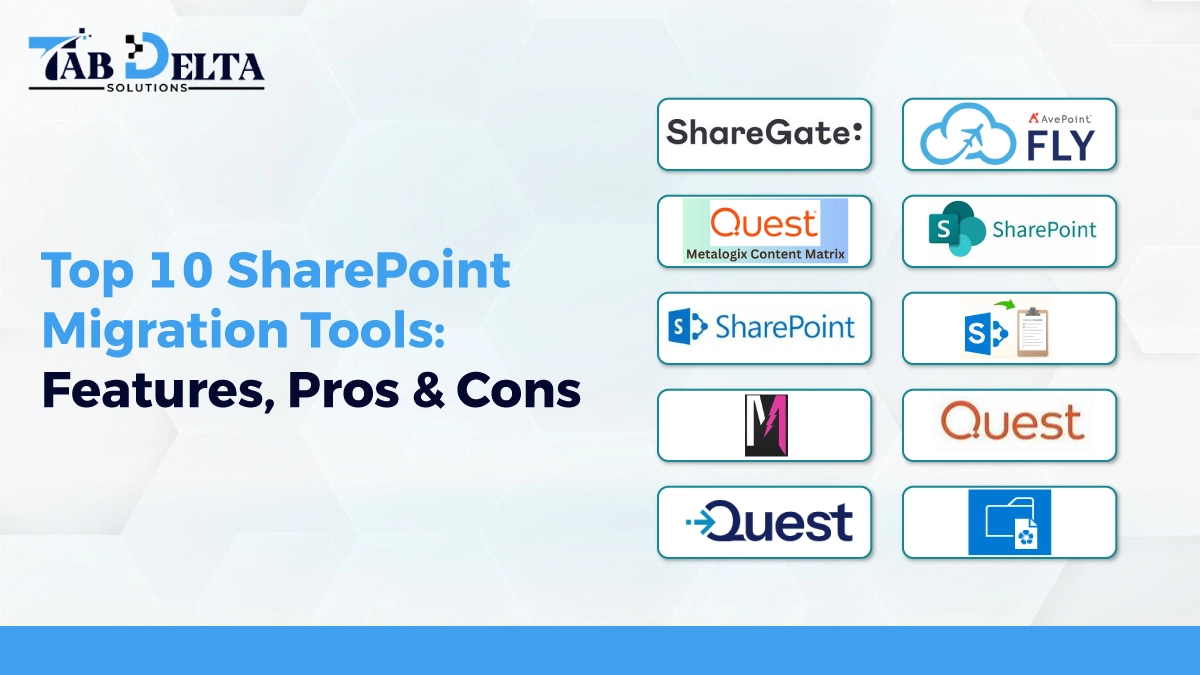
Mostly, organizations depend on SharePoint to balance documents, collaborate on projects & streamline workflows. Migrating SharePoint gives the feeling of relocating mountains, especially when a business has had a bunch of data for years. An ideal migration tool for SharePoint migration services gives a clear difference between a smooth move & complex relocation. The Gartner research shared that 83% of data migration projects fail. So, having the right decisions can turn into huge success.
Organizations that have relied on Microsoft SharePoint for years face a huge amount of on-premise storage. Transferring them into the cloud environment will become easier and cheaper, so organizations shouldn’t select a tool based on cost & reviews only. Instead, they compare various tools and find one that best suits the situation.
SharePoint migration services are challenging, especially when the system is outdated. Well, there are various SharePoint migration tools out there for a smoother process. These tools automate the transfer of content, configuration & data from one SharePoint to another. It further limits the downtime & risk of errors. So, let’s break down the top SharePoint migration tools with added benefits.
Understanding SharePoint Migration
❂ What Is SharePoint Migration?
SharePoint Migration refers to moving SharePoint files, apps & advanced organization elements from one environment to another. It could be from the outdated version to the new one. Based on research, over 80% of companies listed in Fortune utilize SharePoint. Most of the businesses are also migrating to an advanced version or cloud to stay competitive & effective.
This higher adoption rate proves that SharePoint migration is a worthwhile strategy. If you want to move from on-premises to Microsoft 365, it could be a great choice. The main concern behind the SharePoint migration is to ensure the transfer is smooth & the data stays safe. Careful moving of all your digital stuff requires a powerful strategy.
Most of the businesses choose Microsoft SharePoint due to scalability, security, and better collaboration. An organization that uses the SharePoint migration service can allow its team to become more productive, embrace new features, and address advanced business needs.
❂ Key Challenges During Migration
● Large data volumes and complex site structures
Large data sets & complex site structures can cause significant errors during migration & increased risks such as data loss & extended downtime & performance errors. To navigate with such issues, a strong planning and strategic approach is required.
● Metadata loss or permission mismatches
The following challenges are due to a mismatch between the destination & source. It arises due to the utilization of inadequate tools and ineffective planning. Data migration without losing metadata & access control is a complex process that needs expertise.
● Downtime and version conflicts
During downtime, the system is unavailable, which can lead to lost revenue, tarnish productivity & cause dissatisfaction. Version conflicts arise from uncoordinated schema changes and mismatches in data types. Downtime can be mitigated by performing incremental migration, whereas version conflict can be navigated by schema changes.
● Compliance and governance concerns
Assuring data security and privacy during data migration is complicated. It requires adhering to legal regulations like HIPAA or GDPR. Throughout the data migration, it is necessary to safeguard quality. So, handling the intricacies of cloud environments is one of the key compliance errors that arise during migration. These problems are frequently navigated by designing a thorough plan, training, security measures, & access controls.

Criteria for Choosing the Right Migration Tool
❂ Support for SharePoint Online, 2013, 2016, 2019
When selecting a SharePoint Migration tool for the SharePoint migration service, ensure it is compatible with the following SharePoint versions. These online versions offer better automation capabilities and migration reporting. The ideal tool depends on the project’s complexity and internal expertise.
❂ Ease of use and automation capabilities
When looking for a SharePoint migration consultant, measure its user-friendliness. The following factors can impact the efficiency & success of the migration project. The clean user interface with drag & drop workflow assists in simplifying complex tasks. Use tools that demand low & no-code options, enabling users with limited technical expertise to configure data pipelines. Comprehensive user guides & accessible support are needed to make an ideal tool. The robust automation feature streamlines the migration process, limits the manual labor & ensures data integrity.
❂ Reporting and monitoring features
When looking for a tool for SharePoint migration service providers, overlook the reporting & monitoring feature. Ensure the tool offers compliance, data integrity, and transparency. The key capabilities include real-time dashboards for tracking progress and offering a brief report for validation & auditing. Select a tool that offers automated alerts & notifications & quickly detects data inconsistencies.
❂ Data security and compliance support
For safeguarding sensitive information & adhering to regulations, select a Microsoft SharePoint migration tool with additional security measures. It is essential to select a data migration platform that offers strong data security and compliance support. Comprehensive practices that protect data at every stage of the migration lifecycle vary from planning and execution to measuring safety practices.
❂ Pricing and scalability options
Pricing and scalability are crucial factors to overlook when selecting SharePoint migration service providers. It might affect the project’s long-term visibility and total cost of ownership. Choose a tool that handles large data volumes and difficulties. Pick a tool that has the potential to value your business requirements.
Also Read : Choosing the Top SharePoint Development Company in USA
Top 10 SharePoint Migration Tools
1. ShareGate

This tool offers an advanced migration solution for relocating projects. It is equipped with cutting-edge features, offering an easy-to-use platform & doesn’t require any server-side installation. It is simple to access and sustainable. It allows you to complete a site SharePoint transfer along with granular SharePoint migration on 2 distinct bases. The drag & drop interface makes this tool a favorite among SharePoint migration experts.
Key Features:
- Witness seamless migration of data from one point to another.
- User-friendly interface makes this tool a great choice.
- Offer a holistic migration experience.
- Real-time reporting & faster error analyzation
Pros:
- Allow unlimited data
- Ease UI and advanced cloud migration feature.
- Post-migration reporting
- Customer support
Cons:
- Limited automation features compared to others
- Require a stable network.
- Limited support for on-premise.
2. AvePoint Fly

This SharePoint migration tool is popular among users as the SharePoint cloud online migration tool, good for handling huge migrations & offers detailed reporting at every step. The tool is good to use for content mapping & keeping the user permissions in place. This tool focuses on minimal disruption & delivers selective migration functionalities. Most organizations like how this advanced tool manages complex methods while safeguarding digital assets. The SharePoint team loves this tool because of its built-in versatility, filter, map & monitor the migration in real-time. It can relocate non-SharePoint data into the SharePoint data from various sources.
Key Features:
- You can plan & automate the migration tasks to run at an optimal time.
- It supports various SharePoint versions, making it a versatile option.
- It delivers detailed analytics and assists you in monitoring the migration process.
- It supports SharePoint, Teams, and Microsoft 365.
- It allows scheduled migrations that save time.
- Gives access to advanced filters and robust security controls.
Pros:
- An on-premise server allows for scheduled migration.
- Support multiple content sources.
- Unlimited migration volume
- Drag-drop functionality
- A scalable option for a large enterprise
Cons:
- The price is a little high.
- Not fit with older versions
- Might require some training to run the tool
3. Metalogix Content Matrix (Quest)

For managing various SharePoint versions, Metalogix Content Matrix is used by a SharePoint online migration consultant. Their migrating technique preserves metadata and content structure. It is effective at facilitating extensive migrations. Businesses appreciate their user mapping and thorough reporting. Monitoring your transfer process and identifying problems early is made simple by the cloud-based migration tool. This is the popular SharePoint migration tool used for quick material identification and migrating data only when the user grants. This is not only popular for ease of use but for many more reasons. This unique tool helps connect with pre-existing SharePoint deployments without any additional server-side efforts.
Key Features:
- Guarantee zero downtime
- Support older SharePoint version’
- Improve XML files for controlling migration
- Compliance support and user mapping
- Migrate non-SharePoint data sources
- Real-time monitoring dashboard
Pros:
- Support to measure dependencies before you migrate
- Allow migration setting
- Complex configuration support
Cons
- Specialized training is required.
- Less effective than others
4. SharePoint migration tool

The best SharePoint migration tools are designed by Microsoft. This tool is free & easy to use for enterprises and small businesses. It might lack a few advanced features, but it’s a good tool to try for smaller requirements. It has the ability to migrate the standard SharePoint content objects. It allows permissions, managed metadata, and site descriptions while balancing the navigation. Furthermore, it offers pre-migration scanning and delivers post-migration reports.
Key Features:
- Bulk migration with templates
- Live monitoring feature with detailed analytics
- Supports incremental migration
Pros:
- Easy setup and quick results.
- Support safe migration
- User mapping & filter options
- Migration of non-SharePoint data sources
Cons:
- The reporting feature is limited.
- Doesn’t support bulk editing
- Unable to migrate the 3rd-party operation
5. Microsoft SharePoint Migration Tool

Microsoft SharePoint Migration tool for SharePoint migration consulting services is utilized to bring together all the communications, services, documents, and apps. This tool is used when you feel like you need to relocate all your data digitally. A data migration must be completed safely by following all the compliance requirements. This tool is popular for simplifying the transfer process, making it an effective & smooth option for both small & large-scale projects. The migration tool will automate data relocation from multiple sources to SharePoint.
Key Features:
- Equipped with a high-speed data transfer engine
- Analyzing pre-migration structure
- Offer a detailed report to analyze progress.
Pros:
- It handles a diverse load system.
- Make data migration less risky.
- Offer incremental migration
Cons:
- The interface is less outdated
6. Bulk SharePoint Migration

Bulk SharePoint migration supports multiple migration scenarios. It has the potential to share on-premises migration, OneDrive for Business & cloud-based storage system. It has the potential to migrate docs and lists seamlessly. The tool offers flexible payment planning that limits the interruptions to users. At the end, it offers brief reports & logs to track issues that might arise throughout the migration.
Key Features:
- It supports OneDrive, Google Drive, Dropbox, and Box.
- Designed with API-driven architecture.
- Relocate data without interrupting the workflow.
Pros:
- Advanced cross-cloud integration
- Less bulky interface
- Migrate document libraries
Cons:
- Costly for small teams
7. Lightning Migrator

Lightning Migrator provides organizations with migration services incredibly quickly. Additionally, it is among the most straightforward tools available to help companies quickly and safely move their data from SharePoint Server to SharePoint Online. You can freely migrate the version history of SharePoint, migrate selectively, prioritize migration, and update the migration library when you utilize SharePoint Migration tools. For your organization’s solutions, Lightning Migrator may represent the effective and potent SharePoint migration tool available.
Key Features:
- Migrate data from file shares or older versions.
- Seamless integration with Microsoft 365
Pros:
- A free tool supported by Microsoft
Cons:
- Limited advanced features
8. Quest Migration Manager

This tool is designed for simplifying the migration of data for an enterprise business. It supports complex environments & delivers the advanced features for managing migrations.
Key features:
- Support migration for Exchange, SharePoint & Active Directory
- Full integration with Microsoft Cloud services
- Support for hybrid IT environments
- Advanced reporting & auditing
Pros:
- Offers enterprise-level reliability
- Simplifies complicated data migration.
- Strong data integrity
Cons:
- Complex configuration
- Pricing is high
- Limited flexibility
9. Quest Migration Solution

To meet today’s complex threat landscape and ever-tougher regulations, Quest solutions assist you in strengthening your security posture and safeguarding your data across both Office 365 and Azure AD deployments. Email and other data can be moved to Office 365 using this tool from traditional email platforms, including servers.
Key Features:
- Analytics & validation dashboards
- Smart content classification
Pros:
- Support advanced automation
- The best solution for every migration need
Cons:
- High-end enterprise pricing
10. Wiki Libraries

This tool is mostly used for seamless relocation of digital data from one platform to another. Professionals use this tool for smart transfer of data within a minute.
Key Features:
- Incremental migration process
- Offers Migration history logs
Pros:
- Allow effective audit and backup options.
Cons:
- Minimal community support
How to Select the Best Tool for Your Needs?
❂ Assess migration size and complexity
To choose the right MS SharePoint migration tool, you must measure the complexity & size of the project. The assessment includes measuring data volume and measuring architectural dependencies. Identify the level of data transformation and ensure the tool offers better scalability and support.
❂ Check compatibility with your SharePoint version
When you look for a SharePoint migration tool, make sure it is compatible with the existing SharePoint version. A SharePoint migration expert always suggests using a tool that supports existing versions and tools.
❂ Evaluate automation, reporting, and governance features
When you finalize a SharePoint migration tool, don’t forget to check the reporting, automation, and governance features. Read all the security and governance guidelines along with the method of reporting and analysis.
❂ Consider pricing vs. ROI
There are tools that offer flexible payment plans for new small organizations. However, no matter what you invest first, check whether it is able to deliver ROI by collaborating with SharePoint development and migration experts.
❂ Test with a demo or trial before purchase
Before purchasing any plans for the above SharePoint migration tools list, it is better to choose a demo plan or a trial plan. If you feel it goes best with your requirements, then invest in it.
Also Read : Top SharePoint Workflow Automation Tools to Drive Operational Excellence
Common Mistakes to Avoid During Migration
❂ Skipping pre-migration audits
This basic mistake can lead to costly failures during the migration process. The pre-migration is the comprehensive evaluation of the existing environment that includes application, data & infrastructures. The risk of moving outdated, duplicate & irrelevant data increases the migration time & storage costs.
❂ Ignoring metadata and permissions
It can cause long-lasting issues that arise from organizational disruption, errors in security & data loss. It offers a context regarding resources and permissions. Avoiding these mistakes is necessary for maintaining data integrity, functionality, and security. A SharePoint online migration consultant will help you navigate this challenge.
❂ Underestimating testing and user training
It can cause significant financial & operational changes to the business. Investing adequately in the following areas helps to ensure the smooth & successful transitions.
❂ Not setting rollback plans
When you have no rollback plans, you might fail badly during migration. Corrupted & incomplete imports can cause data loss. To navigate these issues, keep a backup of all sources of content. Use the incremental migration phase & define the fallback timelines.

Need Expert Help with SharePoint Migration? Connect with Our Specialists Today!
After concluding the above data, we can say that the success of your SharePoint migration journey is possible when you make the right choice of tools. Collaboration with successful partners and guidance from the team helps you to witness success. The right choice of tools saves time, minimizes risks & ensures data integrity. A well-designed migration plan measures the unique requirements of your business. The list of tools used by the best SharePoint migration consultant is never-ending. The following approaches mentioned above ensure that you unlock all the possibilities to meet the digital age.
